Features for the EdgeLink models
EdgeLink is an IoT gateway software designed to connect many edge devices and can run on multiple hardware models(ex: ECU, UNO, ADAM...). Device Management provides following features for EdgeLink:
- Device connection history
- Display of the firmware version, OS version, Tags
- Fetch EdgeLink runtime project
- EdgeLink project file OTA
- EdgeLink firmware OTA
- Integration with EdgeLink Studio
🔹Fetch EdgeLink Runtime Project
Device Management can request the device to upload its runtime project and store the runtime project. Then the project can be downloaded into the device by OTA. Please follow below steps:
- In the
Fetch projectsub-tab of theOTAtab, click the "Fetch project" button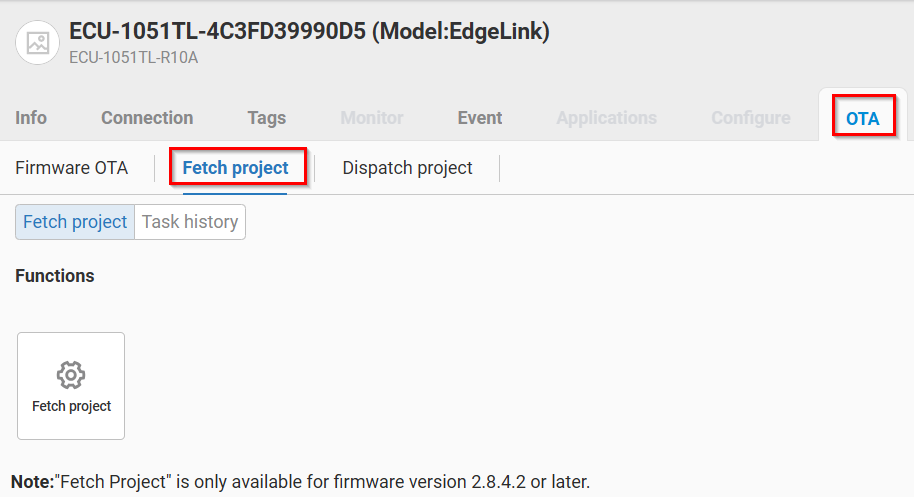
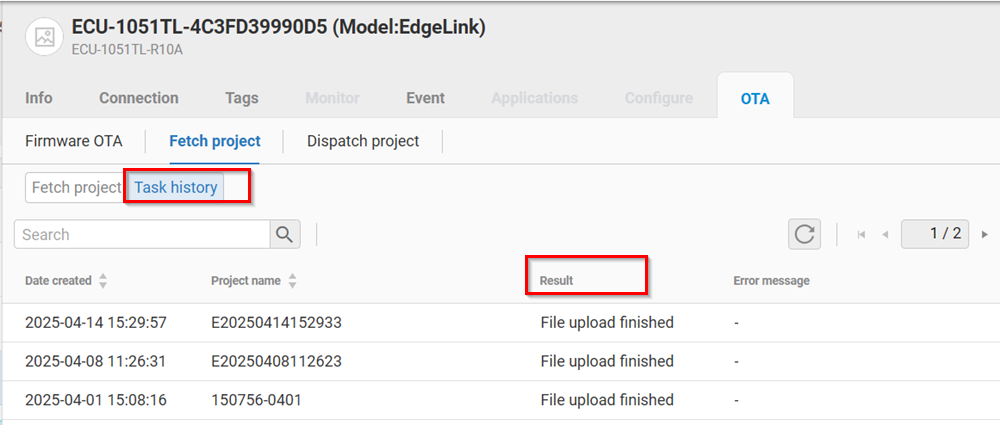
- The result of the project upload is displayed in the "Task history" tab.
- The device uploaded project files are displayed in the "Dedicated project" sub-tab of the "Dispatch project" tab becaue these projects are only used by this device.
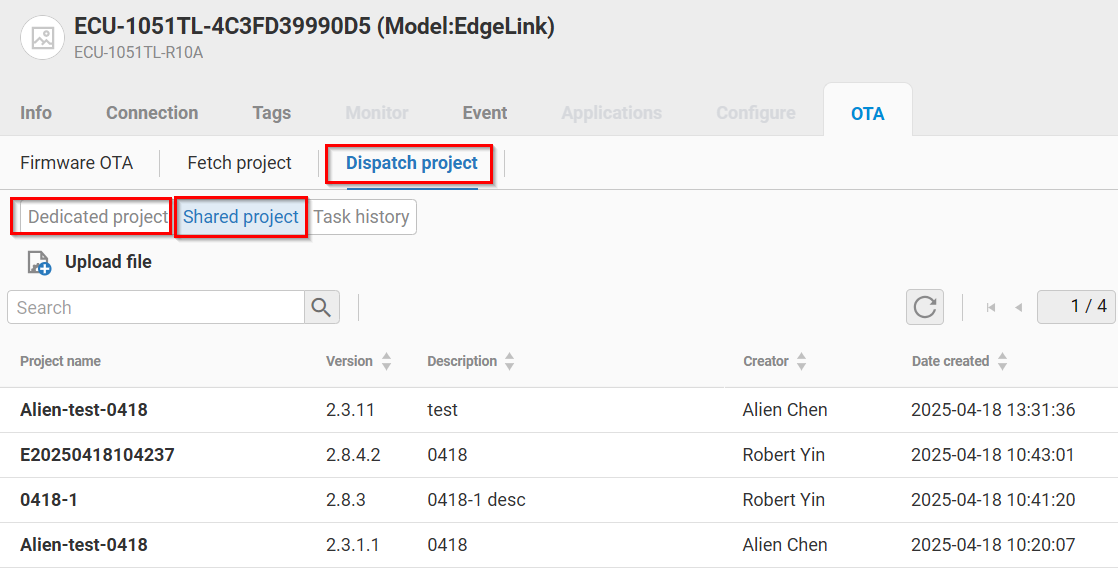
> Note: For each device, the maximum number of project files is 6. The oldest file is replaced if there are already 6 files for the device.
For each dedicated project file, the user can perform following actions:
- Edit or Delete the project file
- Download: Download the project file to the local compuer
- Share the project file: Share(Copy) this project file to all the tenant users and this file can be found in the "File Management". After the file is shared, the user can dispatch the file to other devices.
- Dispatch: Download the project file back into the current device.
🔹Project OTA
The user can download(OTA) the Dedicated or Shared project into the device in the OTA tab.
Dedicated Project
For the project which is fetched from this device:
- Please choose one project in the "Dedicated project" tab.
- Click the action button and choose the
Dispatchbutton to perform the Project OTA.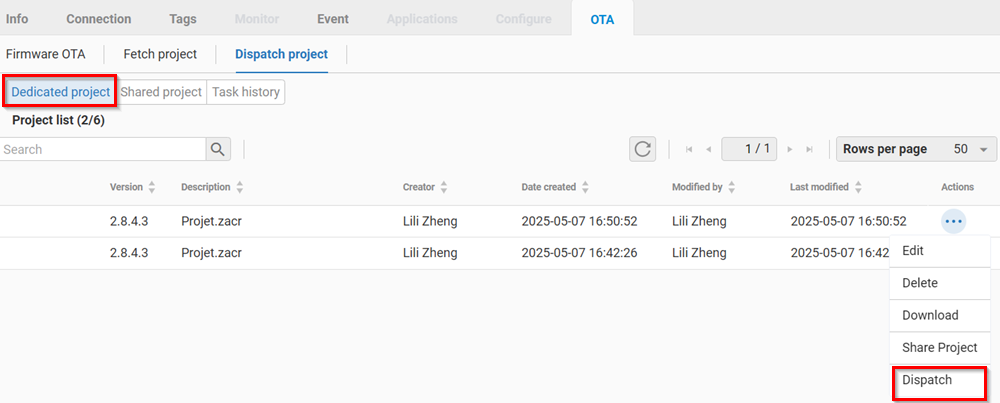
Shared Project
For the project which are used for all devices in the tenant:
- Please choose one project in the "Shared project" tab.
- Click the action button and choose the
Dispatch. The user can choose if the Project OTA should overwrite the system setting. If user clicks Overwrite setting, all settings in EdgeLink project will be overwrite in the device.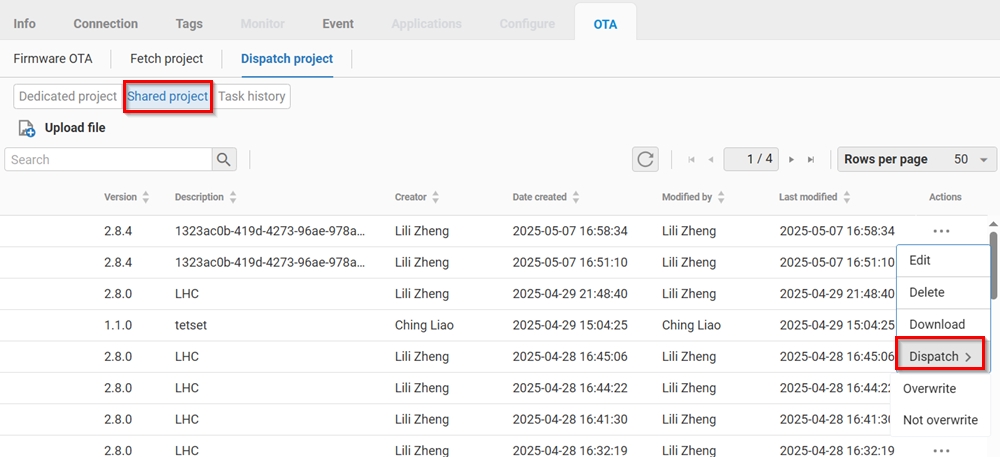
🔹Project OTA of Multiple devices
In File Management, the user can upload one project file and dispatches the project file into multiple devices. EdgeLink software in multiple devices can process this file and apply new configuration or settings.
The project file can be obtained from the Advantech EdgeLink Studio. After the configuration of the project, the user can export the compiled project file and upload into the File Management.
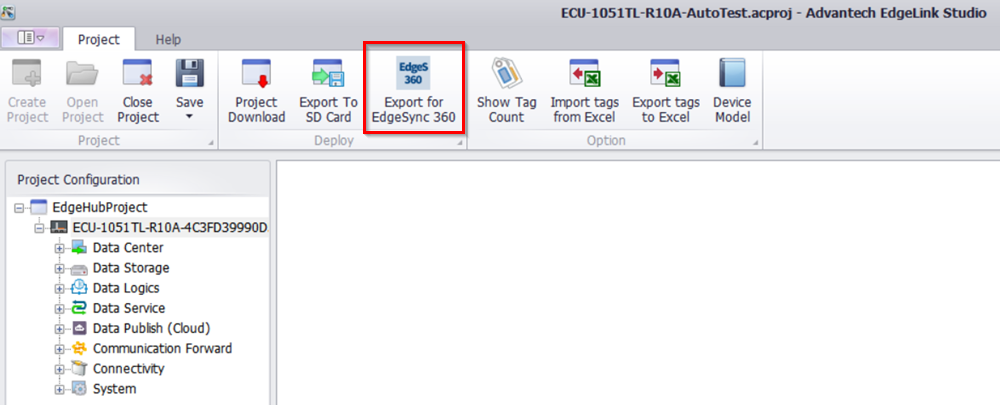
Please follow below steps:
-
In the top left corner, click
 and select File Management to enter the page.
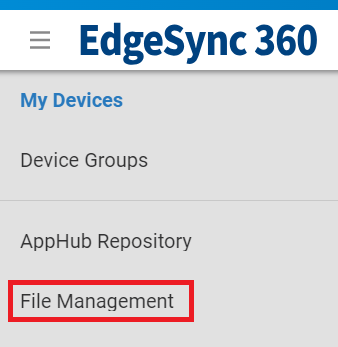
-
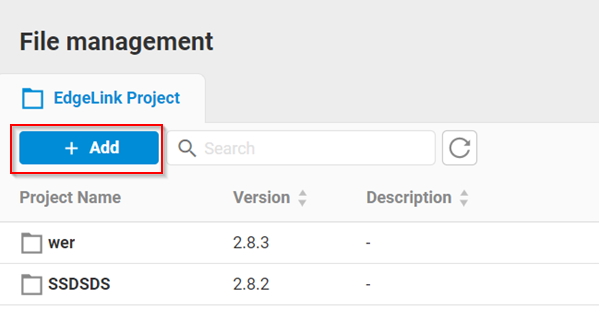
Click Add to create EdgeLink Project file
-
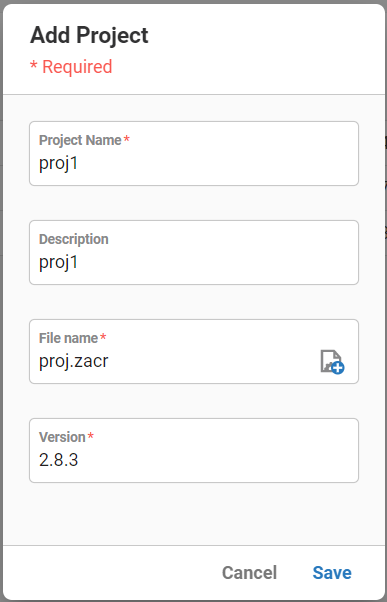
Please fill in the Project Name, project file version(format: x.x.x) and click "+" to upload the project file.
-
Press the Save button and the project will be uploaded.
-
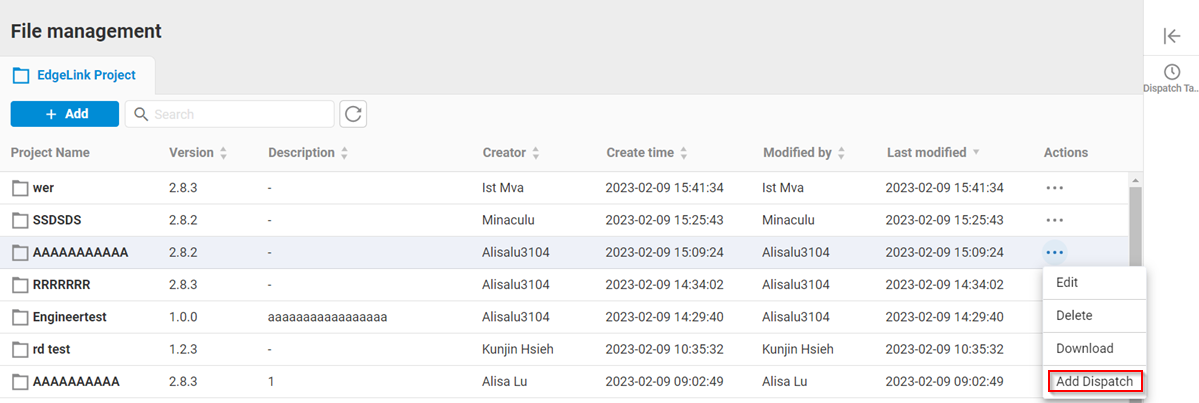
To dispatch the project file, click Add Dispatch in actios of the selected project.
-
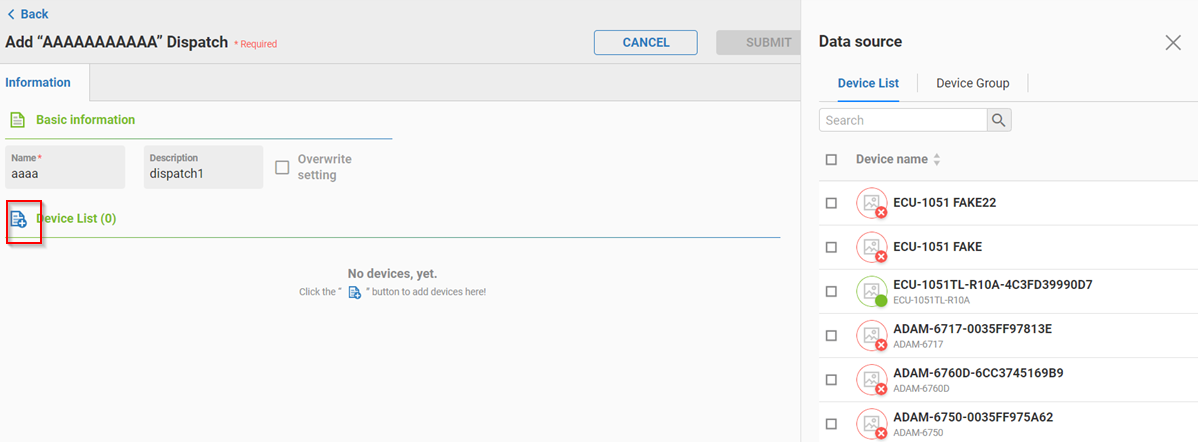
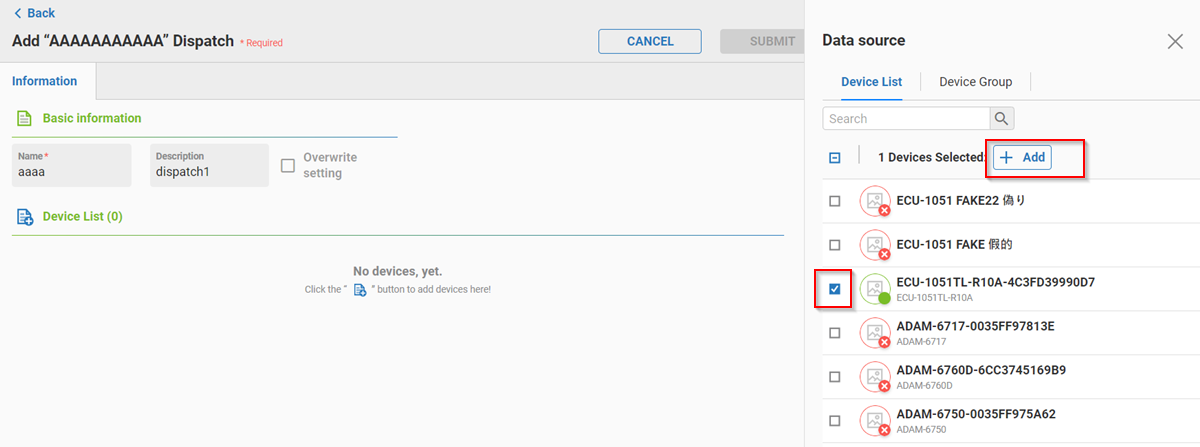
Please fill in the dispatch name, description and click "+" to select target EdgeLink devices
-
Select target devices or target Device Group then click Add button
-
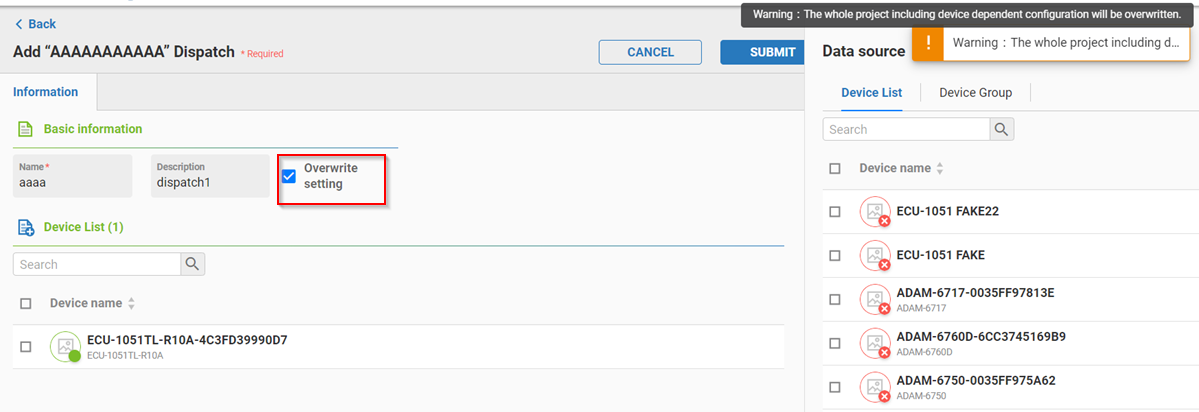
If the user selects the Overwrite setting, all settings in EdgeLink project will be overwrite in selected devices
-
Click SUBMIT to create dispatch task.
-
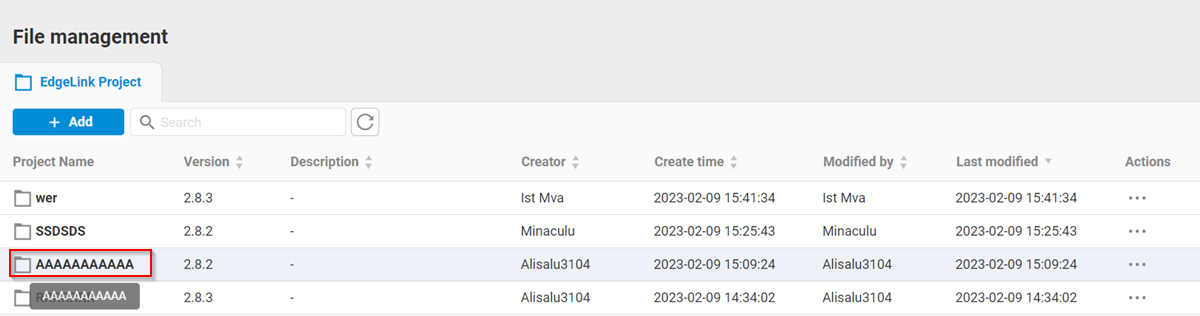
To check the dispatch result, please click the project file.
-
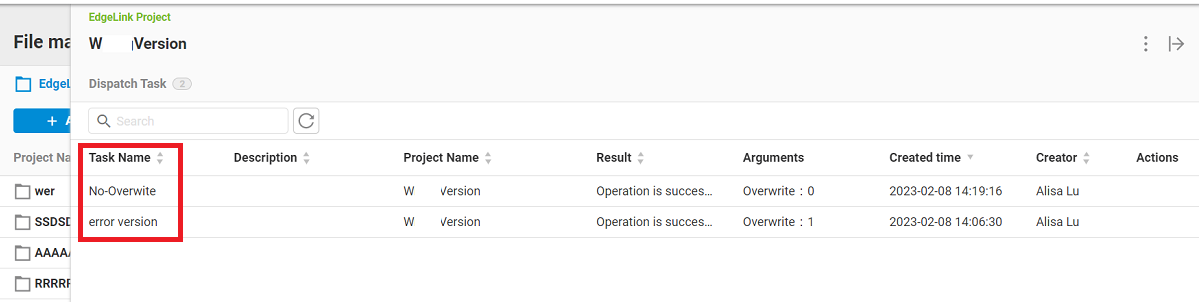
User can see all related dispatch tasks for this project.
-
Please click the task name and user can see the dispatch result of all selected devices.
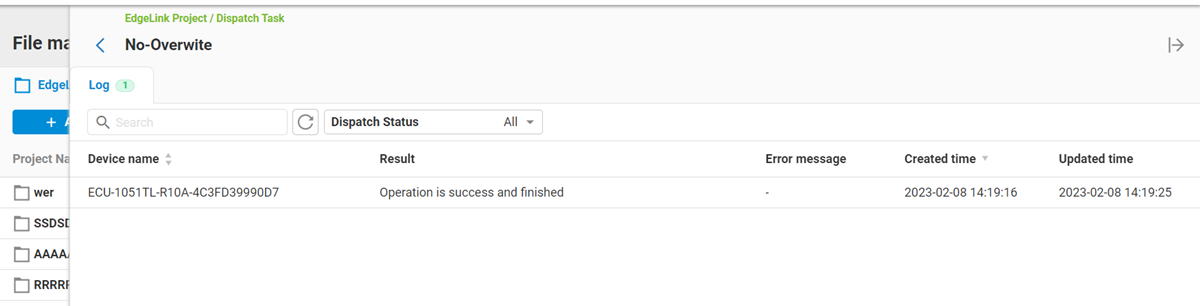
For each project file, there are some available operations:
- Edit: Modify project name, description, version...
- Delete: Delete project and project file
- Download: Download project file to local computer
- Add Dispatch: Dispatch project file into multiple devices
🔹Firmware OTA
Different hardware modules(ex: ADAM-3600, ADAM-6700, ECU-1200...) that use EdgeLink can use Firmware OTA to upgrade the device firmware over the air.
There are two types of the firmware:
- Public firmware: Firmware released by Advantech for public use. This type of firmware is uploaded by Advantech.
- Private firmware: Customized firmware released by Advantech for private use. This type of firmware is uploaded by the user and only available within the user's tenant. A maximum of six firmware files can be uploaded per device model.
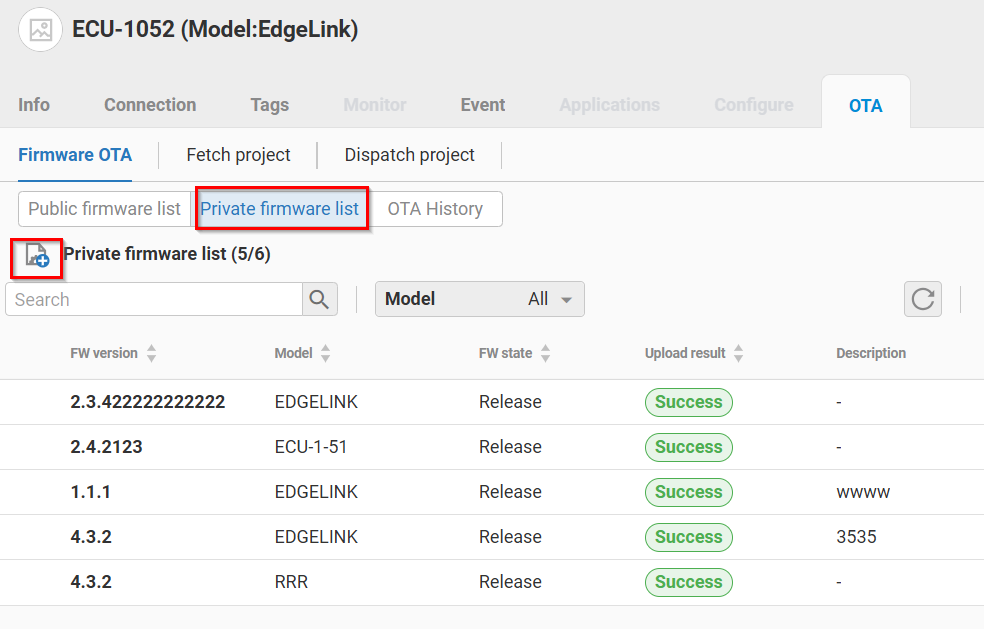
Please follow below steps to perform firmware OTA:
-
In the Firmware OTA Tab, choose the public firmware or private firmware.
-
There is a list of availabe firmwares for EdgeLink. Please choose the desired firmware and click "Download and Upgrade" to start Firmware OTA.
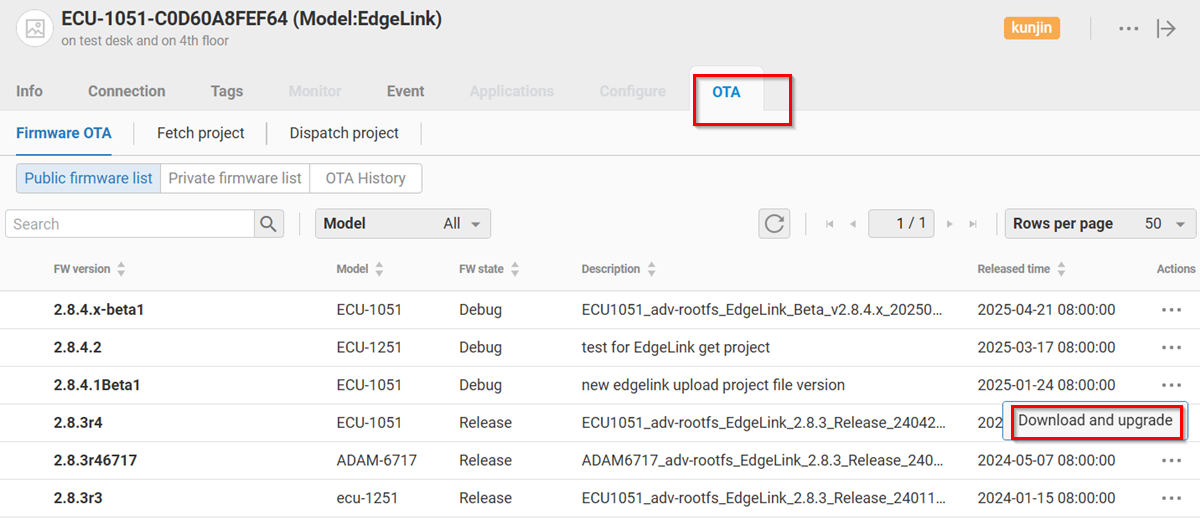
-
In History Tab, Firmware OTA results are displayed.
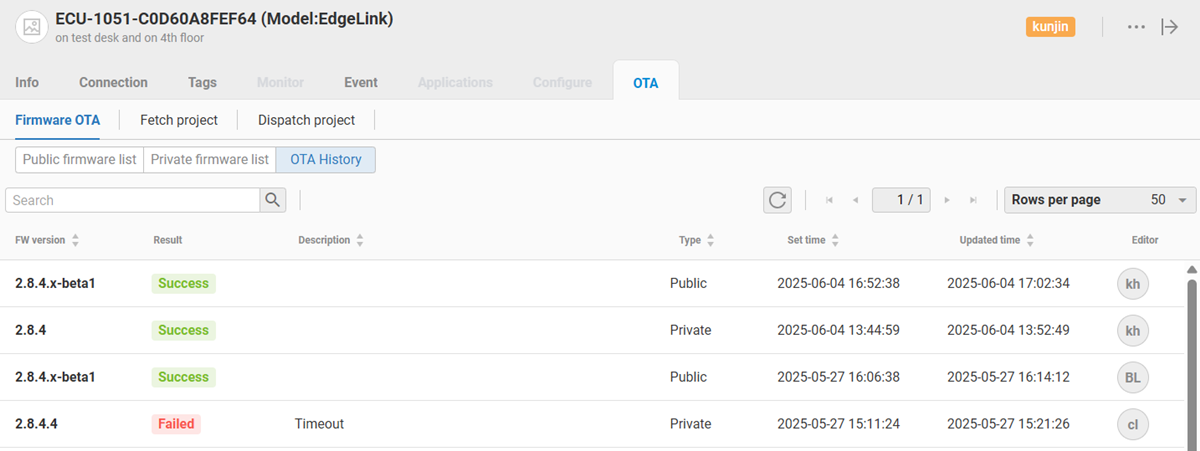
The firmware version of the device can be found in the info tab.
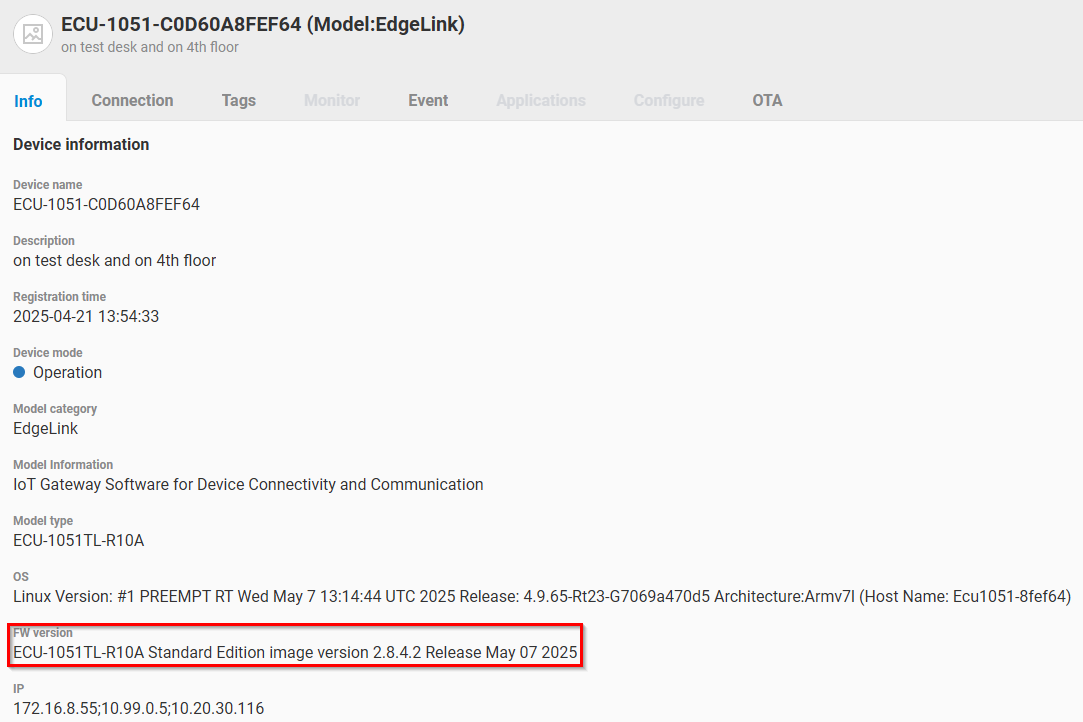
🔹Firmware OTA of Multiple devices
Please refer to the Group OTA in the Device Group chapter for details.
🔹EdgeLink Studio Integration
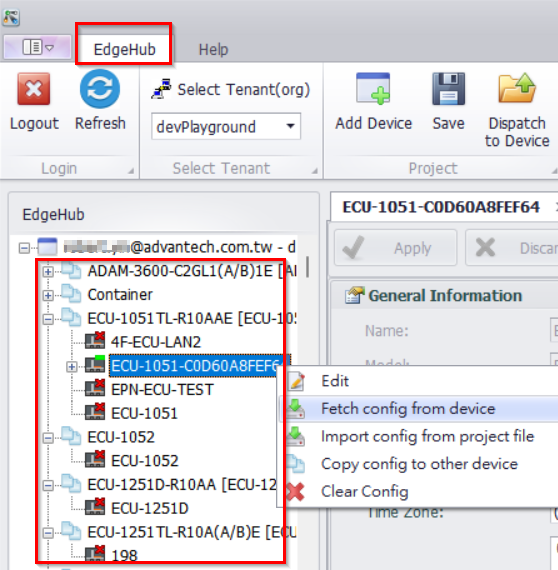
EdgeLink Studio supports the user login of the Device Management system.
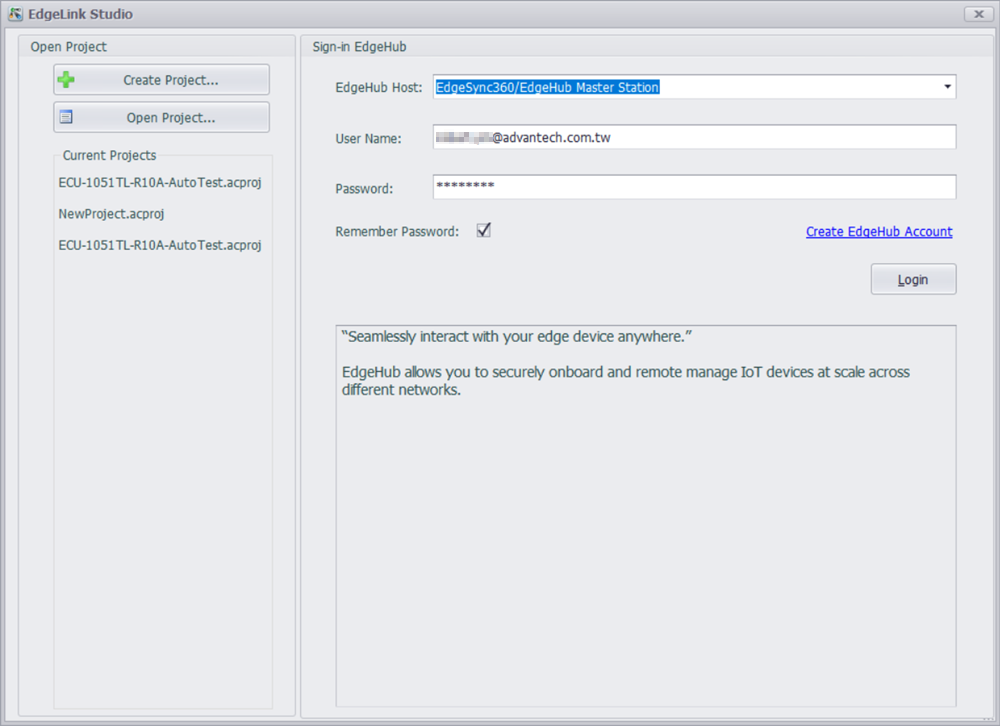
After the user logins, the EdgeLink devices in the Device Management system are displayed. Thus the user can not only manage devices in the local network but also devices in the remote network.